

If you’ve ever wondered how to sell MTG cards on eBay but felt overwhelmed by the sheer number of things you need to figure out, this guide is going to walk you through every single step. No skipping ahead. No assumptions. Just a straight line from “I have cards” to “I have money.”
I’m Jake. I’ve shipped thousands of Magic: The Gathering singles on eBay, and I built MTG Bulk Caster because the listing process was eating my life. If you want to learn how to sell MTG cards on eBay the right way from day one, you’re in the right place. I’ve made pretty much every mistake you can make as a card seller, and I’ve spent years dialing in a system that actually works. This guide is the one I wish someone had handed me before I started.
Here’s what you’ll learn: how to set up your eBay account for selling cards, what supplies you need, how to price and list your cards (including how to list hundreds at once), how to ship safely and cheaply, and how to build a reputation that makes buyers come back.
Let’s get into it.
Why eBay Is Still the Best Platform for Selling MTG Singles
Before you invest time in setting up, it’s worth understanding why eBay is the right place to sell Magic cards in 2026.
TCGPlayer is the other obvious option, and it’s a great marketplace. But eBay has a few advantages that matter a lot for beginners and small sellers. First, eBay has a massive built-in audience. You’re not just selling to Magic players. You’re selling to collectors, casual buyers, and people searching for gifts. Second, eBay’s buyer protection and search infrastructure are mature. Your listings show up in Google Shopping results, which TCGPlayer listings don’t always do.
The biggest advantage, though, is that eBay lets you sell those middle-value cards profitably. Cards in the $2 to $10 range are awkward on TCGPlayer because the fees and race-to-the-bottom pricing eat your margins. On eBay, those same cards sell well as Buy It Now listings, especially with eBay Standard Envelope keeping shipping costs low.
You absolutely can sell on both platforms. But if you’re figuring out how to sell MTG cards on eBay for the first time, this is the stronger starting point.
Setting Up Your eBay Seller Account
The first real step in learning how to sell MTG cards on eBay is getting your seller account dialed in. If you already have an eBay account with some purchase history, use that one. This is important. eBay’s algorithm and buyer trust both favor accounts with existing activity. An account that’s been around for a few years with some positive feedback is going to perform better out of the gate than a brand new account with zero history.
If you don’t have an existing account, here’s a trick that works surprisingly well: buy a few cards from large, reputable eBay card stores before you start selling. Big sellers often have automated feedback systems, so they’ll leave you positive reviews after your purchase. Five or ten positive feedback scores might not sound like much, but to a buyer deciding between two sellers, it makes a real difference.
Steps to get your seller account ready
- Go to eBay and sign up (or log into your existing account).
- Navigate to Seller Hub and complete your seller profile. Add your payment information (eBay uses managed payments, so you’ll link a bank account directly).
- Set up your business policies. You need a shipping policy, a return policy, and a payment policy. For trading cards, I recommend offering 30-day returns. It signals confidence and eBay rewards you in search results for it.
- Verify your identity if prompted. eBay sometimes requires ID verification for new sellers.
Pick a Brand and Stick With It
This is a step most beginners skip, and I think that’s a mistake. Name your eBay store something memorable and relevant. It doesn’t need to be clever. “Jake’s MTG Singles” works fine. What matters is consistency.
Get a quick logo made. You can use an AI image generator, Canva, or even just clean text on a colored background. Set it as your store logo and profile picture. Use the same name and logo if you post on Reddit, Facebook groups, or anywhere else.
Why does this matter? Because repeat customers are where the real money is. When someone buys a Near Mint Dockside Extortionist from you, it arrives fast and exactly as described, and your store has a name they can remember, they’ll search for you next time. A faceless account with a random username doesn’t get that benefit.
Organizing Your Inventory Before You List
You need a system for finding cards after they sell. This sounds obvious, but it’s the thing that will slow you down more than anything else if you don’t solve it early.
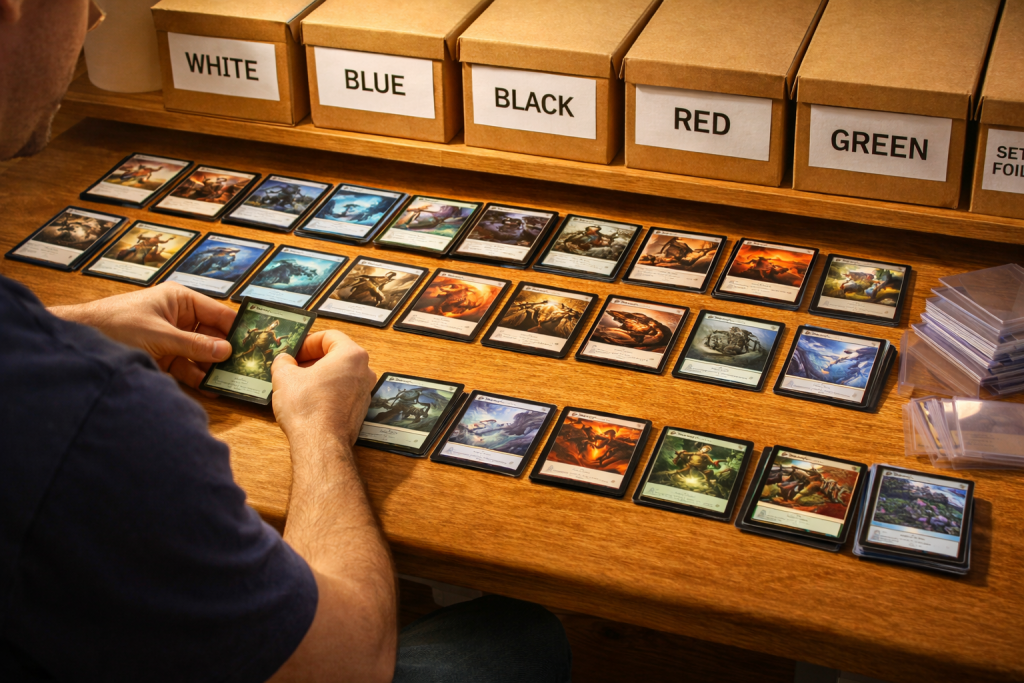
Here’s what works for me. I sort cards alphabetically by set, then by collector number within each set. I use BCW long boxes with divider cards labeled by set code. When a card sells, I know exactly which box to go to and roughly where in the box the card sits.
Some sellers prefer binder pages for higher-value cards and long boxes for everything else. The specific system doesn’t matter as much as having a system and being consistent with it.
The key takeaway is this: if it takes you five minutes to find a card every time one sells, you’ve just turned a profitable sale into a break-even one. Your inventory organization is directly tied to your hourly rate as a seller. Anyone figuring out how to sell MTG cards on eBay underestimates this step.
Cataloging Your Collection
Before you can list cards, you need to know what you have. The fastest way to catalog a Magic collection is with a collection app like Manabox, Archidekt, or Moxfield. These apps let you scan cards with your phone camera and build a digital inventory.
Manabox is my go-to for cataloging. It’s fast, the card recognition is solid, and it exports clean CSV files. Scan your cards, set conditions, and you’ve got a digital record of everything you own.
This catalog becomes the starting point for your listings, which brings us to the actual listing process.
How to Sell MTG Cards on eBay: Listing Your First Cards
This is where most people give up. Listing Magic cards on eBay one by one is brutal. You have to find the right category, fill in item specifics (set name, card name, rarity, condition, language, foil status), write a title, set a price, and upload photos. For one card, it takes 5 to 10 minutes. For a hundred cards, you’re looking at an entire weekend.
There are a few ways to approach this, and I’ll be honest about all of them.
Option 1: Manual Listing
This is free and requires no tools. You go to eBay, click “List an Item,” and fill everything in by hand. It works fine if you have fewer than 20 cards to list. Beyond that, it’s not sustainable.
The advantage is that you control every detail. The disadvantage is that your time is worth something, and spending 10 minutes per listing on a $3 card means you’re earning about $18 an hour before fees. That’s before you factor in shipping time.
Option 2: eBay’s Bulk Listing Tool (File Exchange / Seller Hub)
eBay lets you upload a CSV file to create listings in bulk. This is significantly faster than manual listing, but there’s a catch: you have to build that CSV file yourself. That means getting the correct eBay category IDs, formatting item specifics exactly how eBay expects them, and sourcing your own product images. The learning curve is steep, and one wrong column header means your upload fails.
Option 3: Third-Party Listing Tools
This is where tools designed for card sellers come in. Here’s an honest overview of what’s available.
MTG Bulk Caster ($7.99/month for 500 cards, free tier available) takes CSV exports from collection apps like Manabox, Moxfield, and Archidekt, matches every card against its database, pulls images, maps eBay categories, fills in item specifics, and exports an eBay-ready CSV. You set pricing rules (markup multipliers, minimum prices, foil adjustments) and the tool handles the rest. It’s MTG-specific, doesn’t require a scanner or hardware, and it’s the cheapest option on the market. You can try it free at mtgbulkcaster.com.
TCG Automate ($50+/month) is a scanner-based tool that works across multiple TCGs. You physically scan each card with your phone or webcam, and it builds listings from there. It’s powerful, but the price point is significantly higher and the scanning workflow is slower than importing from a collection app you’ve already built.
Card Dealer Pro is hardware-focused and geared more toward sports card sellers, though it supports TCGs. It requires a dedicated scanning setup. It’s a good fit for high-volume operations with a physical storefront, less so for someone selling from their kitchen table.
Card Conduit takes a different approach entirely. You ship your cards to them, and they handle the listing and selling for you. They take a 10% cut of sales. It’s hands-off, but you give up control over pricing and presentation, and that 10% fee adds up fast.
Card Router is a buylist optimization tool. It helps you find the best buylist prices across multiple stores. It’s not an eBay listing tool, but it’s worth mentioning because for true bulk (cards worth under $0.25), buylisting through Card Router is often the smarter move.
For most beginners who already have their collection in a tracking app, MTG Bulk Caster is the fastest path from “I have cards” to “I have eBay listings.” You can realistically list hundreds of cards in a single sitting, with correct item specifics, proper categories, and consistent pricing. No scanning required, and no spreadsheet headaches.
How to Price Your MTG Cards for eBay
A huge part of knowing how to sell MTG cards on eBay comes down to pricing. This is where a lot of new sellers either leave money on the table or price themselves out of sales. Here’s the framework I use.
Start with TCG Low as your baseline. This is the lowest listed price for a card in the same condition on TCGPlayer. It’s the number buyers are comparing you against, whether they realize it or not.
For cards under $5, I typically price at or slightly above TCG Low. eBay buyers are often willing to pay a small premium for the convenience of eBay’s checkout and shipping infrastructure. For cards between $5 and $20, I price competitively with TCG Low but factor in eBay’s fee structure (roughly 13.25% for trading cards). For cards above $20, I check eBay sold listings (the “Sold” filter in search results) to see what buyers are actually paying.
A common mistake is pricing too low to “guarantee” sales. You don’t need to be the cheapest listing on the internet. You need to be a reasonably priced listing from a seller with good feedback and fast shipping. That combination wins.
If you’re using MTG Bulk Caster, you can set pricing rules once and apply them across your entire batch. Set a markup multiplier, a minimum price floor (so you never accidentally list a card for $0.50 that costs $0.75 to ship), and separate rules for foils. The tool handles the math across hundreds of cards so you don’t have to price each one individually.
Essential Shipping Supplies for Selling MTG Cards on eBay
Shipping is the other half of knowing how to sell MTG cards on eBay profitably. Costs vary widely depending on your country, but the principle is universal: the cheaper you can ship a card, the more margin you keep on the sale. And here’s something a lot of beginners don’t realize. People regularly pay $2 to $3 for a card that’s worth $0.25 because shipping from their local game store costs more than just overpaying for the card on eBay with cheap or free shipping included. Low shipping costs are a competitive advantage.
Here’s what you need.
The Basics
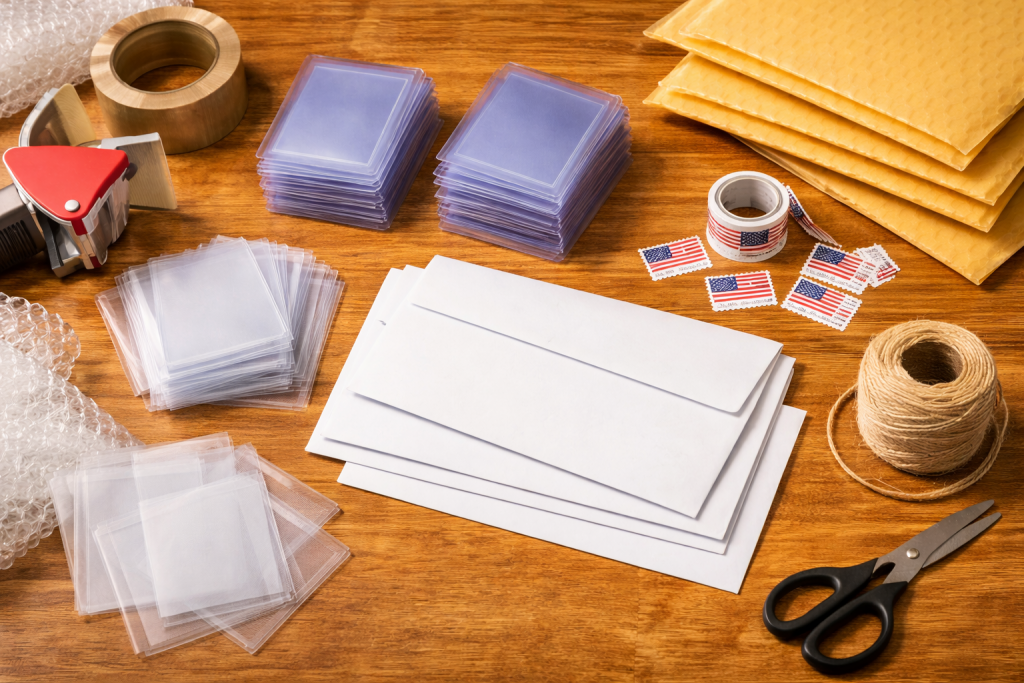
- Penny sleeves (about $2 per 100). Every card goes in a penny sleeve. Non-negotiable.
- Top loaders (about $8 to $12 per 100, depending on brand). Rigid protection for shipping. Semi-rigid card savers are an alternative that some sellers prefer for thinner mailers.
- Plain white envelopes (PWE). For cards under $20 in value, a plain white envelope with a stamp is the cheapest shipping method.
- Non-machinable stamps (required in the US for PWE with top loaders, since the rigid card makes the envelope non-machinable).
- Bubble mailers. For cards over $20 or multi-card orders. Buy in bulk from Amazon or eBay for the best price.
- Painter’s tape or small pieces of tape to secure the card in the top loader so it doesn’t slide around.
- Team bags (optional but nice). These fit over a top loader and seal, adding an extra layer of protection.
eBay Standard Envelope (ESE)
If you’re selling in the United States, eBay Standard Envelope is a game-changer for single card shipments. It costs around $0.68 to $1.09 depending on weight and includes tracking. Regular first-class mail with tracking costs $3.50+. That difference is huge when you’re selling $3 to $5 cards.
ESE has some restrictions. The envelope must be between 1 and 3 ounces, must be a standard letter size, and the item value must be under $20. For most MTG singles, it’s perfect.
Ship Fast and Get Positive Feedback
If you want to know how to sell MTG cards on eBay and actually build a reputation, here’s the secret: the single biggest driver of positive feedback is shipping speed. Not card condition accuracy (though that matters). Not packaging quality. Speed.
Most of my positive reviews mention the same thing. “Arrived faster than expected.” “Shipped same day.” “Got here in two days.”
My rule is simple. If a card sells before 2 PM, it ships that day. If it sells after 2 PM, it ships the next morning. This is where your inventory organization pays off. If you can find the card in under a minute, pull it, sleeve it, top load it, and drop it in a mailbox, the whole fulfillment process takes less than five minutes per order.
Fast shipping leads to positive feedback. Positive feedback leads to more sales. More sales lead to better eBay search placement. It’s a virtuous cycle, and it starts with getting cards out the door quickly.
Automate Your Feedback and Follow-Up
Once you’re making regular sales, you should set up an automated follow-up system to check in with buyers. This does two things: it catches problems before they become negative reviews, and it reminds happy buyers to leave positive feedback.
The easiest way to do this is with automation tools like N8N or Zapier. You can build a simple workflow that triggers after a delivery confirmation and sends the buyer a polite message asking if the card arrived safely and if they’re happy with it. Something like:
“Hey! Just checking in. Your card should have arrived by now. If everything looks good, I’d really appreciate a quick review. If anything’s off, let me know and I’ll make it right.”
This isn’t pushy. It’s good customer service. And the sellers who automate this process consistently have higher feedback scores than those who don’t. N8N is free and self-hosted if you’re comfortable with basic setup. Zapier is simpler but has a monthly cost. Either works.
Building Credibility and Growing Your Store
Learning how to sell MTG cards on eBay is one of those things that gets dramatically easier once you have momentum. The first 50 sales are the hardest. After that, your feedback score does a lot of the selling for you.
Key credibility builders
- Accurate condition grading. If you say Near Mint, it needs to be Near Mint. When in doubt, grade conservatively. A buyer who receives a card in better condition than expected is a happy buyer. A buyer who receives a card in worse condition than described is a return request.
- Clear, well-lit photos. For cards over $10, take your own photos. For cards under $10, stock images (which tools like MTG Bulk Caster provide automatically) are standard and expected.
- Consistent branding. Your store name, logo, and packaging style should feel intentional. It signals that you’re a real seller, not someone clearing out a junk drawer.
- Responsive communication. Answer buyer messages within a few hours. eBay tracks your response time and it affects your seller metrics.
Common Mistakes New MTG eBay Sellers Make
Now that you know how to sell MTG cards on eBay, here’s what I see beginners get wrong most often.
Listing every card individually from the start. Don’t spend 10 minutes listing a $0.50 card. Cards under $2 are better sold as playsets (four copies) or small lots. Save individual listings for cards worth $3 and up.
Ignoring eBay’s promoted listings. A 2% to 5% promoted listing rate can significantly increase visibility for competitive cards. It’s worth testing on cards where your margin supports it.
Not factoring in all costs. eBay takes roughly 13.25% in fees. PayPal is no longer in the picture (eBay manages payments directly now), but don’t forget shipping supplies, stamps, and your time. Know your actual profit per card.
Inconsistent listing. Buyers trust stores that have a consistent look. If half your listings have photos and half don’t, or your titles follow different formats, it looks unprofessional. This is another area where using a bulk listing tool like MTG Bulk Caster helps. Every listing comes out formatted the same way because the tool enforces consistency across the entire batch.
Frequently Asked Questions
Q: How much money can I realistically make selling MTG cards on eBay? A: It depends entirely on what you’re selling. A collection of bulk rares might net you $50 to $100 after fees. A binder of Modern and Commander staples could be worth $500 or more. The key is focusing on cards worth $3 and up for individual listings, and using lots or playsets for cheaper cards.
Q: Do I need a business license to sell MTG cards on eBay? A: For casual selling, no. If you’re selling as a hobby and making occasional income, you can operate under your personal eBay account. If it becomes a regular side hustle with significant revenue, consult a tax professional about whether you need to register as a business in your area. eBay reports seller income to the IRS (in the US) if you exceed $600 in annual sales.
Q: How do I sell MTG cards on eBay without spending hours on each listing? A: Use a bulk listing tool. MTG Bulk Caster lets you import your collection from apps like Manabox and export eBay-ready CSV files with all item specifics, images, and pricing filled in. You can list hundreds of cards in a single session instead of spending 5 to 10 minutes on each one manually.
Q: What condition should I list my cards as? A: Be honest and grade conservatively. Near Mint (NM) means the card looks essentially unplayed with no visible wear. Lightly Played (LP) means minor edge wear or a small scratch. Moderately Played (MP) means noticeable wear, creases, or whitening. When in doubt, grade one step lower than you think. Buyers appreciate conservative grading and it prevents returns.
Q: Is eBay Standard Envelope safe for shipping Magic cards? A: Yes, when done correctly. Sleeve the card in a penny sleeve, put it in a top loader, tape the top loader shut, and place it in a standard envelope. ESE includes tracking, which protects both you and the buyer. For cards over $20 in value, I recommend upgrading to a bubble mailer with full first-class tracking for the added insurance protection.
Q: How long does it take before I start making consistent sales? A: Most sellers see their first sales within the first week or two if they have 30 or more competitively priced listings. Consistency builds over the first 2 to 3 months as your feedback score grows and eBay’s algorithm starts trusting your store. The more listings you have, the more surface area you have for buyers to find you.
AUTHOR BIO
Jake is the founder of MTG Bulk Caster and a top-rated eBay seller who has shipped thousands of Magic: The Gathering singles. He built his first eBay listing by hand in 2018, immediately hated the process, and has spent every year since finding faster ways to get cards from binders to buyers. When he’s not optimizing listing workflows, he’s probably losing to a Dockside Extortionist at his local Commander table.